
Amazon Lex
Live Hub connects to a bot built in Amazon Lex. The connection carries the bot's name and alias in Lex, together with an AWS access key that can call it, rather than a bot URL.
Build the bot in Amazon Lex first, and create an access key for an AWS account that can call it. For the keys, refer to the AWS documentation on access keys. For Lex itself, refer to the Amazon Lex documentation.
Create the bot connection
With the bot's name, its alias and the access key to hand, create the bot connection in Live Hub.
To create a bot connection:
-
In the Navigation pane, select Bot connections, and then click Add new voice bot connection or Add new assist bot connection.
-
Select Amazon Lex, and then click Next.
-
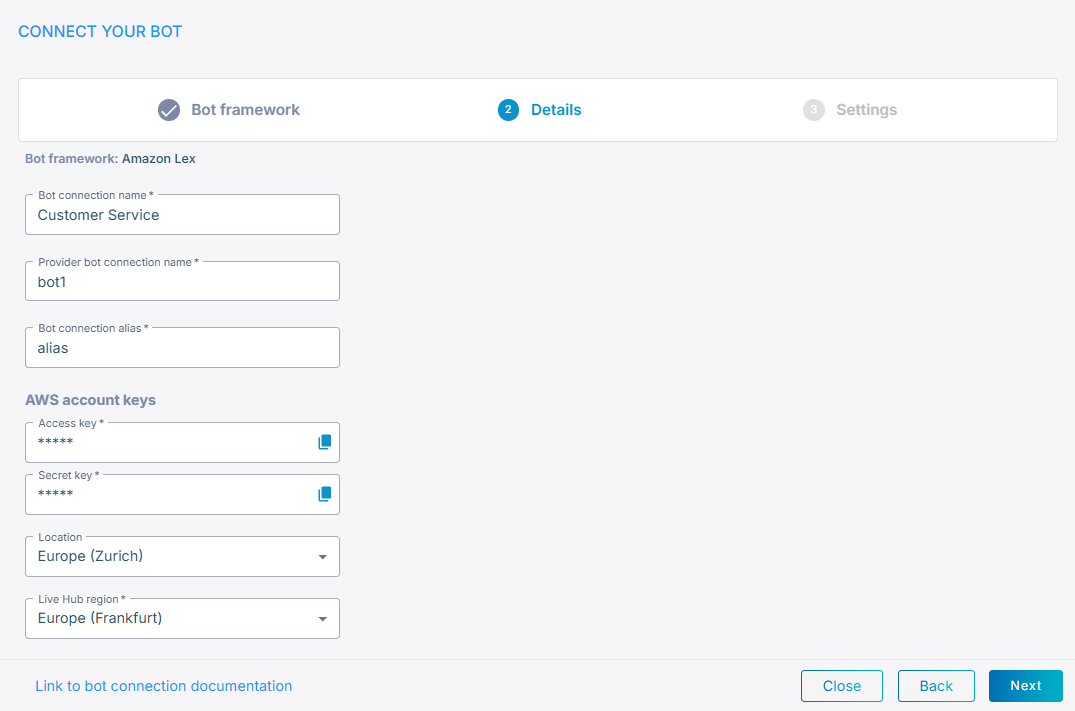
In the 'Bot connection name' field, enter a name for the bot connection.
-
In the 'Provider bot connection name' field, enter the name of the bot in Amazon Lex.
-
In the 'Bot connection alias' field, enter the alias of the Lex bot that Live Hub calls.
-
Under AWS account keys, in the 'Access key' and 'Secret key' fields, enter the keys of an AWS account that can call the bot.
-
From the 'Location' drop-down list, select the AWS region the bot runs in.
-
From the 'Live Hub region' drop-down list, select the region your Live Hub voice infrastructure runs in. See Global region support.
-
Click Next.
-
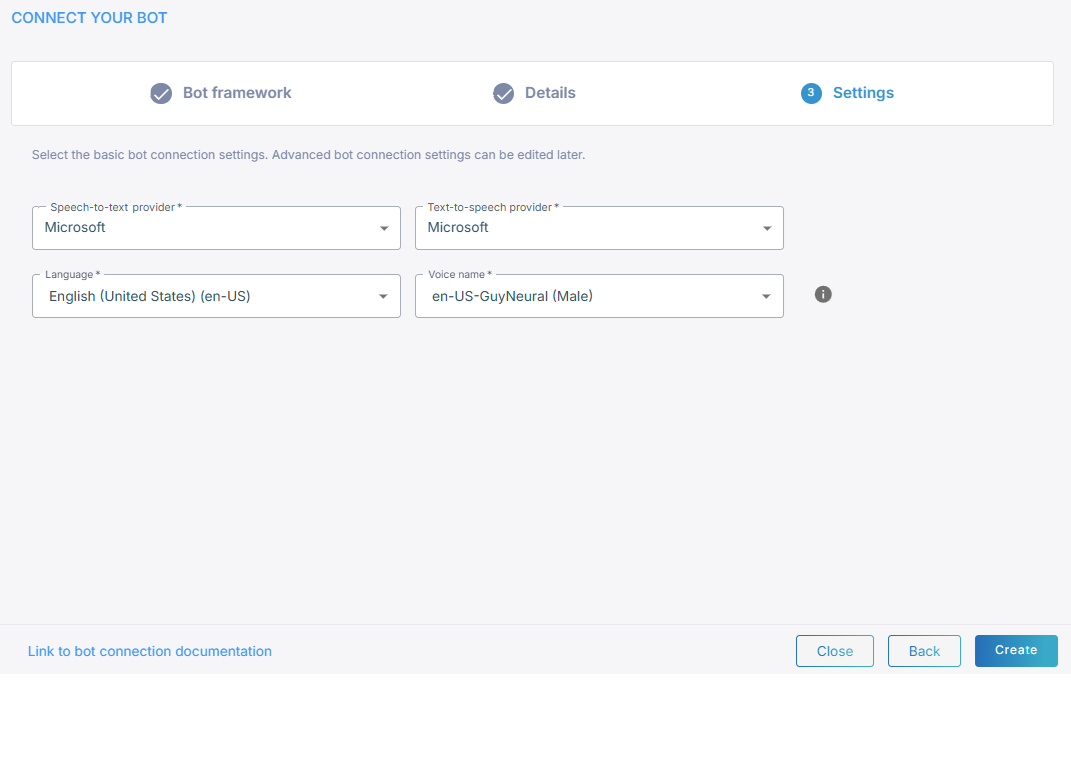
Select a speech-to-text service and a text-to-speech service.
-
Click Create.